 ideal LED App Docs
Curtain lights
Install your ideal LED curtain lights, pair them with the app, use color, effects, text, gallery, DIY and music modes, join several screens together, and control everything with the remote.
The ideal LED App  curtain lights turn a window or wall into a programmable light screen. Control colors, effects, scrolling text, pictures and music-reactive scenes from the free app over Bluetooth, or use the included wireless remote.
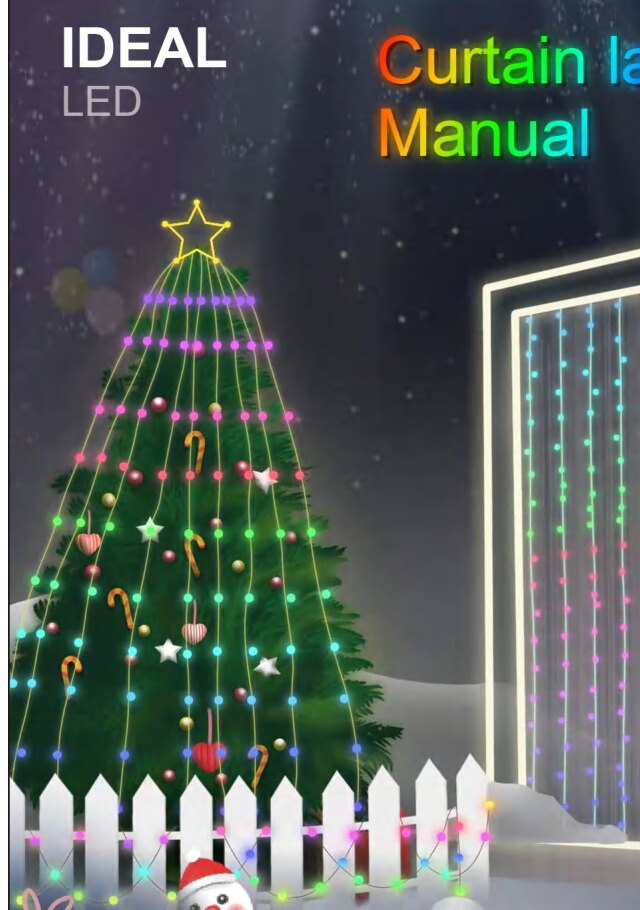
Our collections
- Basic — run the show in your house. Available in a variety of styles to meet your daily and special needs. Perfect for adding ambience to a space and making you the master of every occasion that calls for lighting.
- Smart Hue — sync with you. Built for younger users, this collection brings more fascinating colors and a more intelligent control experience. It doesn't just sync with music — it syncs with you.
- Premium — what your life should be. More textured lighting products for the most demanding needs, perfect for elevating your favorite spaces and rooms to a premium level.
Install the lights
Unpack and check the accessories
Unpack the box and confirm that all accessories are complete: a string of LED light bars, a power adapter, a wireless remote control, and an instruction manual.
Hang and arrange the light bars
Hang the light bars on the curtain in order, then untie the ropes on the light bars and arrange the lighting frame so the bars do not wind around each other.
Power on
Turn on the power supply.
Install the app
Download ideal LED
Search for iDeal LED on the App Store for Apple phones, or on Google Play for Android phones. You can also scan the QR code on the manual with your mobile browser to open the download page directly, then select and install the matching ideal LED App.
- iPhone — App Store
- Android — Google Play
Allow installation
When you install the app for the first time, a prompt such as "Do you allow 'Device' to install applications?" may appear. Tap Allow.
Connect to the app
Turn on Bluetooth and location
First, turn on the Bluetooth and location functions of your phone.
Connect the curtain lamp
Open the app and tap the Connection button to connect the curtain lamp.
Confirm the connection
Tap the Connection button and slide the switch to the right — this means the connection is successful. To use the continuous-screen function (connect more than 2 products, up to 3), see Join several screens together below.
The first time you open the app it asks for permission (for example, to allow device location). Tap Allow and continue. New to pairing? See Connect & pair your lights.
The home menu
From the home screen you can reach every feature. Each menu button opens one interface.

| Button | Opens |
|---|---|
| Connection | Connect or disconnect the curtain lamp |
| Color | Light color adjustment |
| Effect | Dynamic effect display |
| Text | Text input |
| Gallery | Picture and animation playback |
| DIY | Create your own patterns |
| Rhythm | Music rhythm and sound control |
| Timer | Timer function |
| Settings | Switch the app language, correct the lamp color, and select the lamp type |
| On / Off | Turn the light-string system on or off |
| Refresh | Refresh the device |
| Name | Customize the device name |
Using the features
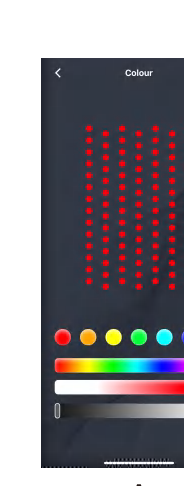
Color
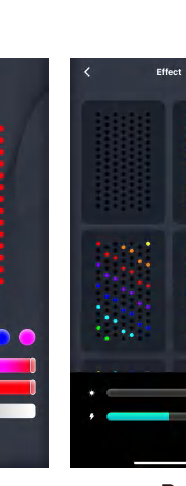
In the color adjustment interface you can freely choose the color you like, and adjust the depth and brightness of the lamp-bead color.
Dynamic effects
The dynamic effect interface lets you choose different effects and adjust the brightness and playback speed of the lamp beads.
Text
In the text interface you can enter text and symbols and pick your favorite color. After editing, choose different embellishment effects, brightness and speed. The memory function saves your saved content.
Gallery
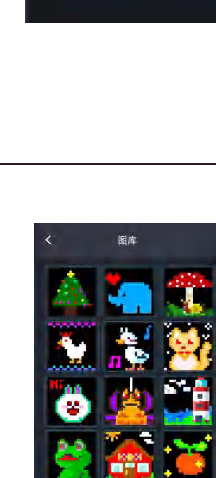
- Static gallery — choose from a range of pictures, adjust the playback speed and brightness, and pick different display methods.
- Dynamic gallery — choose different animations, adjust the playback brightness, and select several animations to play in a loop.
DIY
- Static DIY — tap the + sign to open the add-DIY interface and save your design; tap the graphic to finish editing. Saved DIY pictures can be edited, copied or deleted, and you can adjust the playback speed and brightness and choose different display methods.
- Dynamic DIY — tap the + sign to open the add-DIY interface and save; saved DIY pictures can be edited or deleted, and you can adjust the playback brightness.
Music & rhythm
- Music rhythm — while music is playing, the curtain lamp synchronizes its rhythm to the melody of the song. You can also choose a different rhythm pattern.
- Phone microphone — turn on phone-microphone mode and the phone identifies the sounds around it; the curtain reacts to the volume, and you can select different rhythm patterns.
- Curtain lamp microphone — turn on the curtain lamp's own microphone mode. The control module identifies the surrounding sounds and reacts to their volume.
A permission dialog appears the first time you use these modes. Tap Allow to continue. For more, see Music & rhythm sync.
Timer
In the timing interface you can schedule the lights to turn on and off. You can select several lights at the same time and set the time.
Settings
The settings interface includes a color-correction function that helps you correct the color of the light bars and understand and use the product more easily. The horizontal-flip feature mirrors patterns, text, motion images and DIY patterns.
Join several screens together
You can connect up to 3 devices to form one continuous screen.
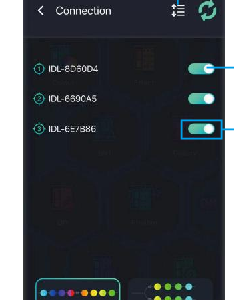
- Order adjustment — reorder the connected devices.
- Connect screen on / off — turn the continuous-screen function on or off; select up to 3 devices to connect.
- After the first pairing succeeds, later pairings can be performed automatically.
- Save adjustments when you are done.
- Long press to select, then drag to adjust a device's position.
Want to control several sets independently instead? See Groups & devices.
The wireless remote
Use the included remote for quick control without opening the app.
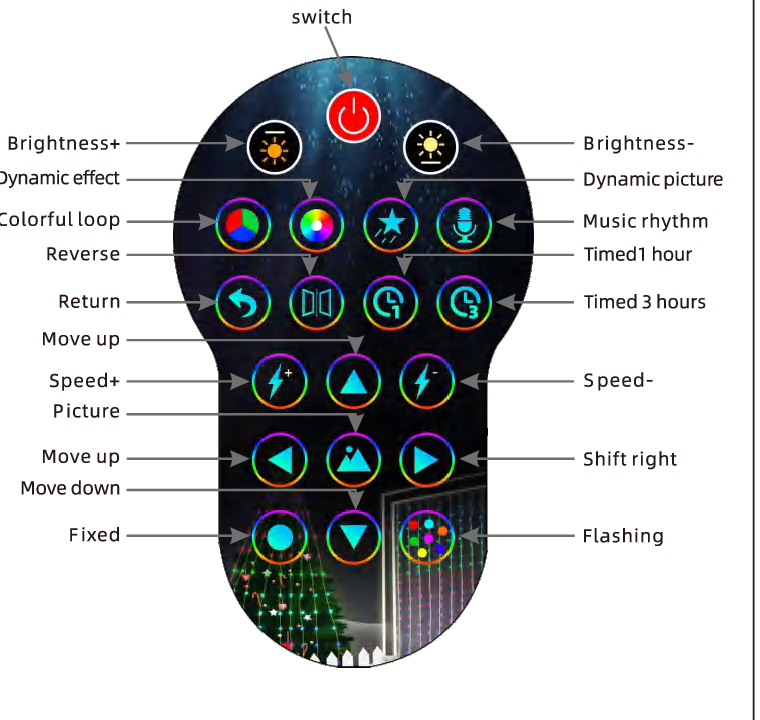
| Button | Function |
|---|---|
| Switch | Turn the lights on or off |
| Brightness + / − | Increase or decrease brightness |
| Dynamic effect | Play the next dynamic effect |
| Dynamic picture | Play the next dynamic picture |
| Colorful loop | Run a multi-color loop |
| Music rhythm | Switch to music-rhythm mode |
| Reverse | Reverse the running direction |
| Return | Go back |
| Timed 1 hour / 3 hours | Set a 1-hour or 3-hour timer |
| Speed + / − | Adjust the effect speed |
| Picture | Show a picture |
| Move up / down, Shift right | Move the pattern on the screen |
| Fixed | Hold the current effect |
| Flashing | Run a flashing effect |
Safety and care
- Do not place this product in water.
- Do not place the product near a fire source.
- If you will not use the product for a long time, cut off the power supply and store it in a cool, dry place.
- Keep children aged 0–6 away from the accessories to prevent them from being swallowed during play.
- Do not switch the lights on and off frequently, as this affects the product's service life.
- Do not disassemble the product without permission. If a knot forms during use, do not pull it forcefully.
- If the product does not work normally, cut off the power supply and contact the after-sales team.
We test every set of products before shipping, but damage can occur in transit. Please test the product after you receive it and contact us promptly if you run into any problems — we will find the best solution for you. If the lights still won't respond, see Troubleshooting.
Recycling
The crossed-out wheeled bin is the WEEE symbol, which indicates that this product is not household waste. You help protect the environment when you recycle hazardous waste appropriately. To get detailed information about recycling this product, please contact your retailer or a local authority.
Product information
- Model / ID: 2A5NB-HCL-001
- Compliance: CE · RoHS · FCC
- Made in China